Description
AI Video and Image Prompts: 300 Creative Prompts
Plan cinematic visuals, branded images, video concepts and advertising creative with 300 structured prompts across 15 categories.
300 Premium AI Visual Prompts for Images, Videos, Ads & Content
AI Video and Image Prompts give creators and businesses a faster way to develop detailed visual concepts for images, videos, advertisements, products, social content, and creative projects.
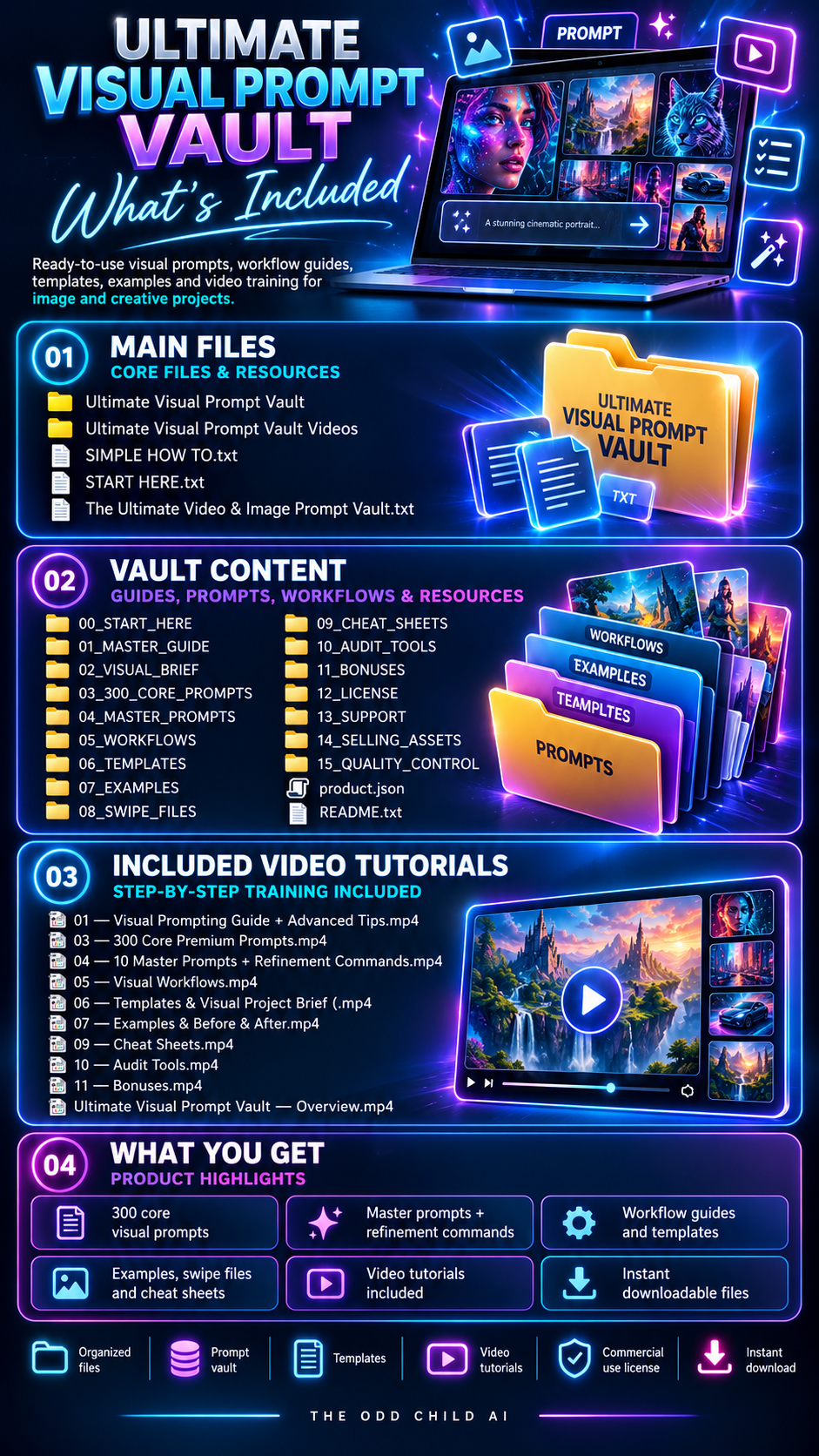
The Ultimate Video & Image Prompt Vault includes 300 structured AI video and image prompts across 15 creative categories, plus advanced tools for refining lighting, composition, camera direction, motion, materials, consistency, and more.
Create concepts for product images, social content, advertisements, thumbnails, cinematic scenes, short-form videos, portraits, branding, interiors, characters, and digital campaigns without building every prompt from scratch.
300 Visual Prompts · 15 Categories · Image + Video · Refinement Tools · Commercial-Use Licence
Create More With AI Video and Image Prompts
A strong visual prompt requires more than describing a subject. Composition, lighting, camera angle, environment, style, color, motion, and format can all influence the final result.
The Vault gives you structured starting points that can be customized around your brand, product, campaign, audience, or creative idea.
AI Video and Image Prompts for Real Creative Projects
Explore concepts for product launches, branded social campaigns, short-form video sequences and cinematic scenes. Use the prompt variables to describe the subject, intended audience, visual style and format, then adjust the result for your project.
Use it for:
- Product photography and e-commerce
- YouTube thumbnails
- Short-form videos and Reels
- Social media and advertising
- Photorealistic portraits
- Cinematic video scenes
- Fantasy and sci-fi environments
- Brand and logo concepts
- Food and drink visuals
- Music and album artwork
- Architecture and interiors
- Characters and experimental visuals
What’s Included: 300 AI Video and Image Prompts
The Vault contains 20 structured prompts in each of 15 categories.
Choose a category, select a prompt, customize the supplied variables, and start creating.
Prompts provide direction for:
Subject · Environment · Composition · Lighting · Camera · Style · Color · Motion · Negative Directions · Aspect Ratio
This provides greater creative control while keeping the prompts flexible enough for different projects and compatible AI platforms.
Image + Video in One Vault
The prompts can be adapted for compatible generative AI platforms such as Adobe Firefly
Unlike an image-only prompt pack, the Ultimate Vault covers both AI image and AI video creation.
Use image prompts for product visuals, advertisements, thumbnails, social graphics, portraits, environments, and brand concepts.
Use video prompts for short-form content, cinematic sequences, product videos, advertisements, camera movement, environmental motion, and visual storytelling.
Advanced Refinement Tools
The Vault goes beyond the initial prompt with additional resources designed to help you improve and refine your results.
Included resources cover:
- 10 Master Prompts
- 30 Refinement Commands
- 6 Visual Workflows
- 10 Project Templates
- Lighting Directions
- Camera & Composition Directions
- Material & Texture Directions
- Video-Motion Directions
- Negative Directions
- Visual Consistency & Quality-Control Tools
Instead of completely rewriting a prompt when a result isn’t right, use these tools to create more controlled variations.
Build More Consistent Visual Campaigns
Use the included consistency tools to define elements such as color palette, lighting style, camera treatment, environment, orientation, reference material, and must-keep details.
This is especially useful for product collections, recurring social content, advertising campaigns, characters, and branded visual assets.
50 AI Image Prompts vs. Ultimate Vault
The 50 AI Image Prompts pack is the simpler option for customers primarily creating still images.
The Ultimate Video & Image Prompt Vault expands that system to 300 prompts, 15 categories, image + video creation, advanced refinement commands, workflows, project templates, motion directions, and consistency tools.
If you want a smaller starting collection, choose the 50-prompt pack. If you regularly create visual content and want a broader creative system, the Ultimate Vault provides significantly more depth.
How to Use the AI Video and Image Prompts Vault
Choose a visual goal, pick a relevant prompt, and adapt its variables for your project. Generate a test result in a compatible AI tool, then refine the details rather than accepting the first output.
01 — Select a Category
Choose the prompt category that fits your creative objective, such as product imagery, social campaigns, portraits or cinematic sequences.
02 — Customize the Prompt
Define your subject, environment, lighting, composition and style. For video, include camera movement, timing and intended motion where supported.
03 — Test and Refine
Generate a draft, review what needs changing and adjust a few variables at a time to improve the direction.
04 — Check Before Publishing
Review quality, accuracy, brand consistency and the platform’s terms before using generated imagery or video commercially.
Who Are These AI Video and Image Prompts For?
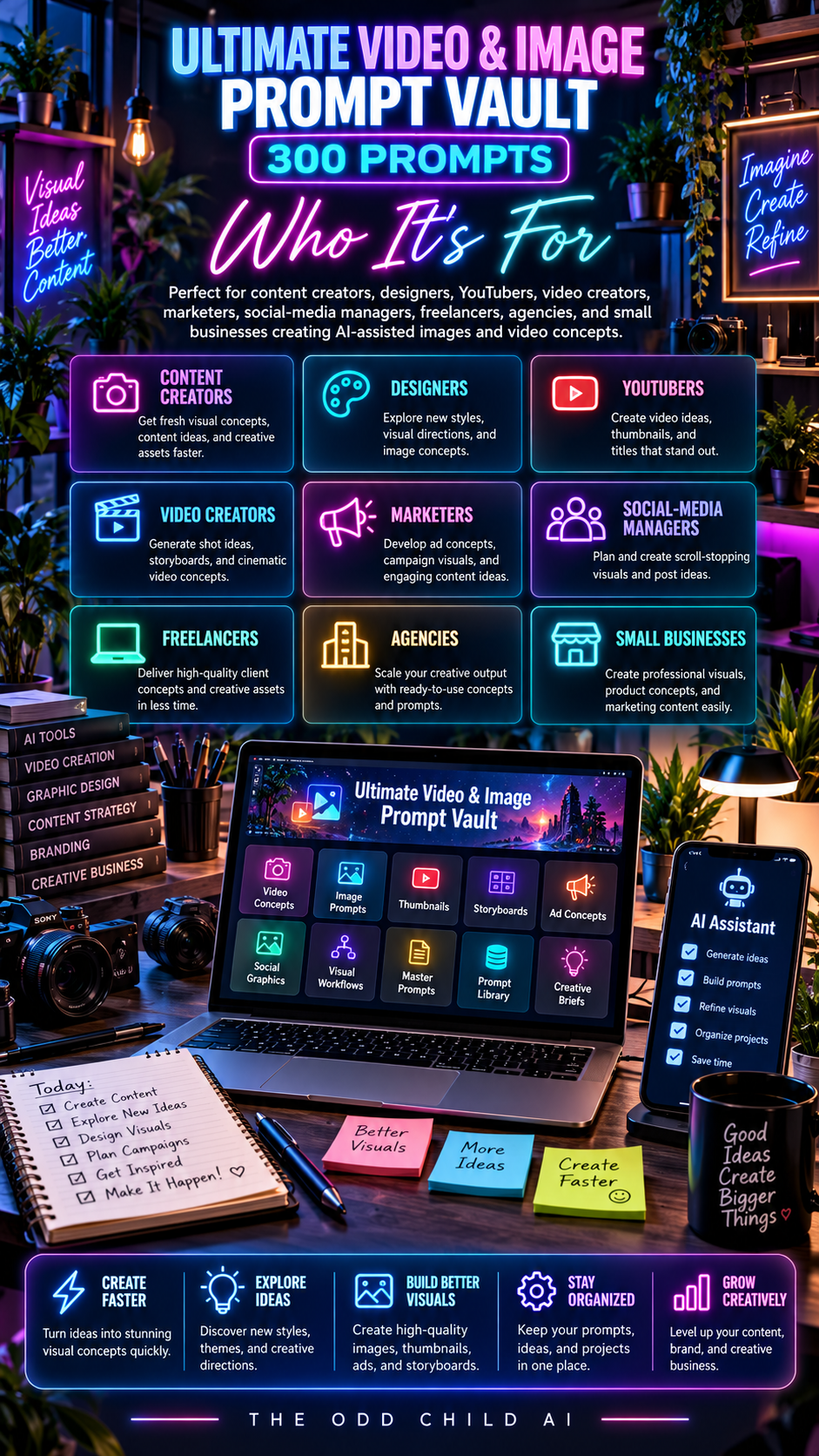
This vault is designed for content creators, small businesses, marketers, designers, online sellers and video editors who want structured creative starting points for images and moving visuals. Use the prompts for concept development and adapt the results to your own brand, campaign or project.
AI Video and Image Prompts: Common Questions
Are finished images and videos included?
The main product is a library of customizable prompts. You use compatible image or video generation tools to produce your own outputs.
Do I need a specific AI platform?
No single AI service is bundled with the purchase. Features such as camera controls and motion vary by platform; review the available capabilities of your chosen tool.
How is this different from the 50 AI Image Generation Prompts pack?
The smaller pack focuses on image concepts. This vault includes 300 prompts across 15 categories and supports both image and video concepts. Compare the listed contents before purchasing.
Can I use generated results for commercial work?
Check the included prompt licence and the AI platform’s applicable commercial-use terms, plus any relevant rights, before publishing or selling generated output.
For additional information on visual generation, explore Adobe Firefly. You can also compare the 50 AI Image Generation Prompts product.
Commercial-Use Licence Included
Customize the prompts for qualifying personal, business, client, marketing, and commercial projects according to the included licence.
AI platforms have their own usage rules. Always review generated visuals for accuracy, text, logos, product details, permissions, brand requirements, and commercial suitability before publishing.
300 Prompts Across 15 Image and Video Categories
Stop rebuilding every visual prompt from scratch.
Get a structured system for creating images, videos, ads, product visuals, thumbnails, social content, cinematic scenes, and brand concepts — plus advanced tools for refining your results.


Leave a Reply