The best Pinterest AI prompts treat Pinterest like what it really is: a visual search engine. People type what they want, scroll the results, and click the pin that looks most useful. So your prompts should help you write pin titles and descriptions that match real searches, and pin ideas that promise a clear payoff.
Table of Contents
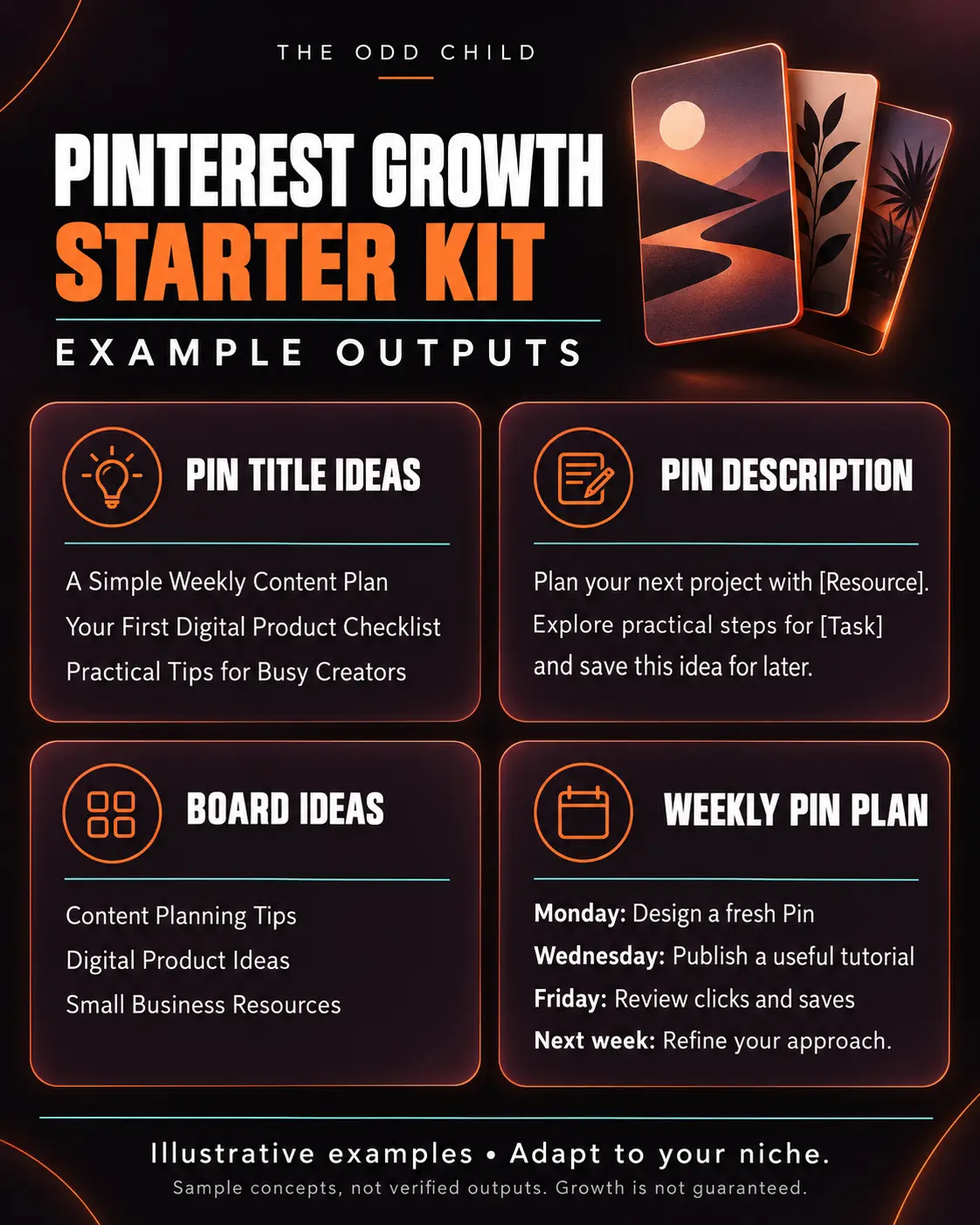
In this guide you will learn how to use AI to find Pinterest keywords, write pin copy, plan boards, and brainstorm pin designs — without sounding robotic. There are example prompts throughout that you can copy and adapt for your own niche.
How Pinterest is different from other social platforms
On Instagram or TikTok, content mostly reaches people through a feed. On Pinterest, a big share of discovery comes from search. That changes how you write:
- Keywords matter more than clever wordplay. A pin titled “Easy Weeknight Vegetarian Dinners” will usually outperform “Dinner, but make it green.”
- Pins have a long life. A good pin can keep getting saves and clicks for months, so it is worth writing well once.
- The goal is often a click. Pinterest users are planners. They want to save ideas and visit the page behind them.
AI is useful here because it can quickly turn one topic into many keyword-friendly variations. You still decide what fits your brand.
Step 1: Use AI to brainstorm Pinterest keywords
Start with your topic and ask AI to think like a Pinterest searcher. Then check the ideas against Pinterest itself: type them into the search bar and look at the suggested phrases that appear. Those suggestions come from real searches.
Example prompt to copy:
- “I run a [NICHE] business selling [PRODUCT]. List 25 phrases someone might type into Pinterest search when they are looking for ideas related to this. Group them into beginner, planning, and ready-to-buy searches. Use plain, natural language.”
Keep the phrases that match what you actually offer. Pick one main keyword per pin.
Step 2: Write pin titles that match search intent
Your pin title should include your keyword near the start and promise a clear benefit. Short and specific wins.
Example prompt to copy:
- “Write 10 Pinterest pin titles under 100 characters for the keyword ‘[KEYWORD]’. Put the keyword near the beginning. Each title should promise a specific, useful result. Avoid clickbait and exaggerated claims.”
Read the list and choose two or three you would genuinely click. Those are worth testing on different pin designs.
Step 3: Write pin descriptions that sound human
Descriptions give Pinterest more context about your pin. Write one or two natural sentences that include your main keyword and a related phrase, then a simple call to action like “Save this for later” or “Tap through for the full guide.”
Example prompt to copy:
- “Write 3 Pinterest pin descriptions (150–300 characters each) for a pin linking to [PAGE OR PRODUCT]. Main keyword: ‘[KEYWORD]’. Related keywords: ‘[KEYWORD 2]’, ‘[KEYWORD 3]’. Make it friendly and helpful, include the main keyword in the first sentence, and end with a gentle call to action. No hashtags stuffing.”
Step 4: Plan boards and pin ideas with AI
Boards help Pinterest understand what your account is about. Clear, keyword-based board names work better than cute ones. AI can also help you turn one blog post or product into several fresh pins, which Pinterest tends to reward.
Example prompts to copy:
- “Suggest 8 Pinterest board names for a [NICHE] account. Use searchable phrases, not puns. For each board, write a one-sentence board description with a natural keyword.”
- “I have a blog post titled ‘[POST TITLE]’. Give me 6 different pin angles for it: a checklist pin, a mistakes pin, a before/after pin, a quick-tip pin, a quote pin, and a step-by-step pin. For each, write the headline text that would appear on the pin image.”
That second prompt is a simple way to get a week of pins from a single piece of content.
Step 5: Brief your pin designs
Even if you design pins yourself in Canva, AI can help you plan the text overlay and layout so each pin is easy to read on a phone.
- Keep text overlay to 4–8 words.
- Use a vertical 2:3 layout.
- Make the benefit obvious at a glance.
- Keep fonts and colors consistent so people recognize your pins.
Common mistakes with Pinterest AI prompts
- Copying Instagram captions. Hashtag-heavy, emoji-filled captions do not help much on Pinterest. Write for search.
- Keyword stuffing. Repeating the same phrase five times reads badly. One main keyword and one or two related phrases is plenty.
- Using AI output without checking it. Always confirm keyword ideas in Pinterest search and edit the copy so it sounds like you.
- Pinning once and giving up. Pinterest growth is slow and steady. Consistent fresh pins over weeks matter more than one big batch.
- Linking to a weak page. If the pin promises a guide, make sure the click lands on that guide, not your homepage.
Get a head start on Pinterest
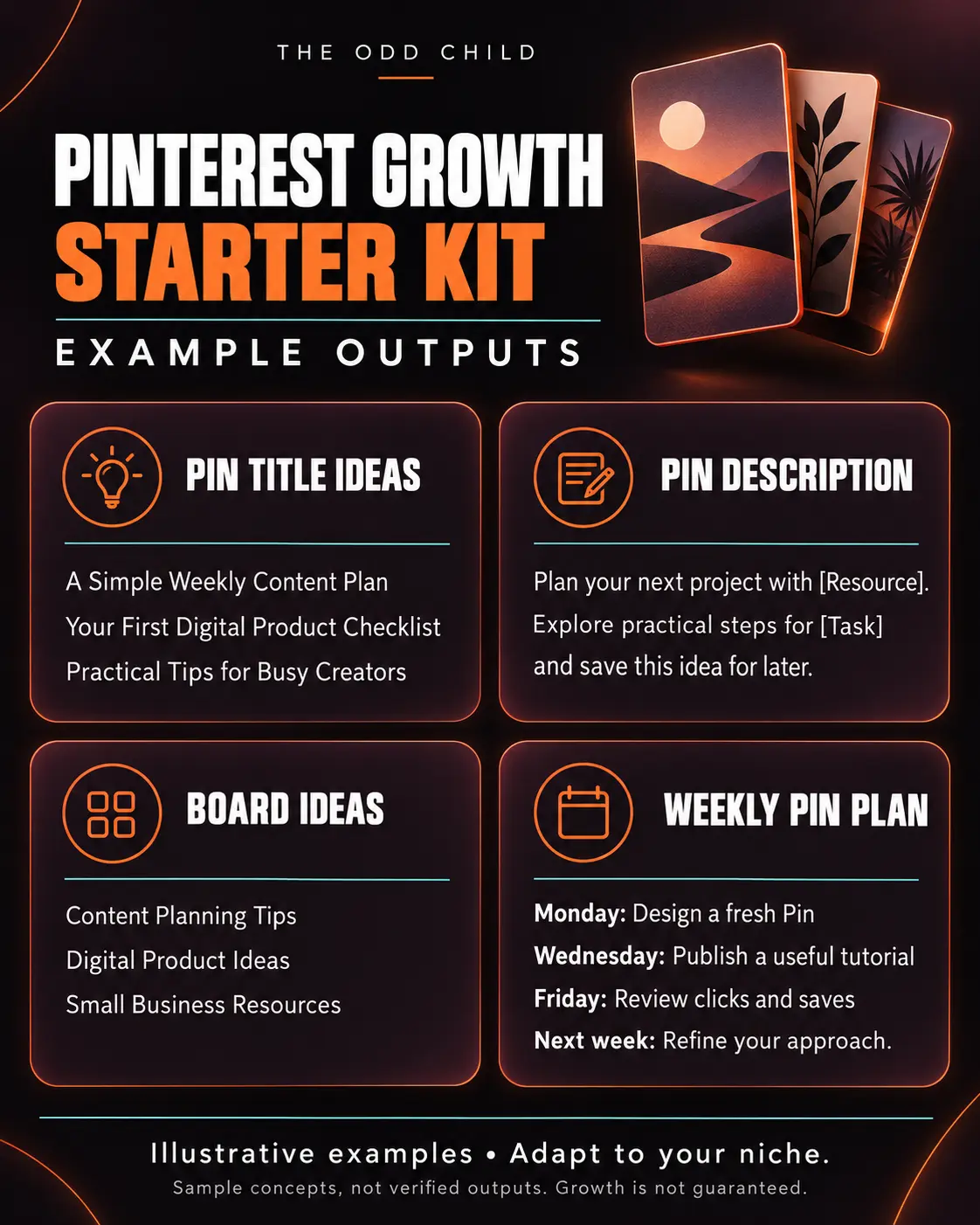
If you want a structured way to put all this into practice, the Pinterest Growth Starter Kit bundles prompts and planning tools for keywords, pin copy, and boards so you are not starting from a blank page every week. Use it alongside the steps above and adjust everything to your voice.
For prompts that cover your other platforms too, see our guide to social media AI prompts.
Pinterest AI Prompts in Practice: Turning One Blog Post Into 10 Pins
Here is where Pinterest quietly outperforms every other platform for creators: one piece of content can work for months. A home-organizing blogger writes one post about small pantry storage. Using a short routine of Pinterest AI prompts, she turns that single post into ten pins, each aimed at a different search phrase, and those pins keep sending her traffic long after her Instagram post about the same topic disappeared.
She starts with keywords, because Pinterest is a search engine wearing a pretty dress. Her first prompt asks for twenty search phrases a real person might type about small pantry storage, from the obvious “small pantry organization” to the specific “pantry storage for tiny kitchens.” Those phrases become her pin angles. This is the step most people skip, and it is why most pins fail: they were designed first and keyworded never. Strong Pinterest AI prompts always start with search intent.
The title and description prompts
For each angle she generates three pin titles under 100 characters, each with the keyword phrase near the front and a concrete promise behind it. Then she writes a description prompt that asks for two natural sentences, the keyword used once, and one specific benefit — no keyword stuffing, no hashtag blocks, because Pinterest descriptions read like helpful summaries, not like 2016 Instagram captions.
Ten angles, ten titles, ten descriptions, written in about forty minutes. Without Pinterest AI prompts, that same work takes her an afternoon, and honestly, it usually just did not get done — which meant one pin per post and a fraction of the traffic.
The design brief prompt
Finally she briefs the visuals: “For each pin title, describe a vertical image: the photo or graphic, the text overlay in five words or fewer, and the color mood.” She builds them in her design tool in one sitting. Every pin looks different enough to be a fresh pin, while all ten point to the same post.
The one-post-to-ten-pins checklist
- Research twenty keyword phrases before designing anything.
- Pick ten angles that match real searches.
- Write three titles per angle; keep the clearest.
- Write descriptions with the keyword once, naturally.
- Brief ten distinct vertical designs with short text overlays.
- Schedule the pins across two weeks instead of posting all at once.
- After a month, make fresh pins for the two angles that earned the most clicks.
That routine, repeated for every post she publishes, is how a small blog builds a Pinterest presence that compounds. The pins are assets. They keep working while she sleeps, writes, or ignores Pinterest entirely for a week.
7 Pro Tips for Pins That Rank and Convert
1. Treat every pin as a search result. Your pin is competing in search, not in a feed. Titles and descriptions should say exactly what the content delivers, in the words a searcher would type. Pretty but vague pins lose to clear ones.
2. Make fresh pins, not duplicate pins. Pinterest rewards new images for the same link. Build fresh-pin creation into your monthly routine instead of re-pinning the same graphic. Your design-brief prompt makes this fast.
3. Keep text overlays under five words. The overlay is a headline, not a summary. “Tiny Pantry, 9 Smart Fixes” beats a paragraph shrunk onto a photo. If the overlay needs more words, the angle needs sharpening.
4. Name boards like searches. Boards called “Small Kitchen Storage Ideas” collect search value; boards called “My Faves” collect none. Ask your AI for board names built from your keyword research, and write board descriptions the same way.
5. Use Pinterest’s own research tools. Pinterest’s official Pinterest Business resources and the trends tool show what people are actually searching for and when seasonal searches spike. Plan seasonal pins six to eight weeks early, because Pinterest search runs ahead of the calendar.
6. Match the landing page to the pin’s promise. Clicks that bounce help no one. If the pin promises nine fixes, the post should show nine fixes, visibly and early. Pinterest’s Help Center also documents how the platform evaluates content quality and distribution.
7. Review analytics monthly, not daily. Pinterest is slow and compounding. Judge pins at thirty days, double down on winning angles with fresh designs, and let the system accumulate instead of chasing daily numbers.
5 More Copy-Ready Prompts for Your Pinterest Routine
These five extend the core routine into seasonal planning, product coverage, and the monthly refresh cycle. Run them with your keyword list open, the same way you run your main Pinterest AI prompts, and keep every output in the voice of a helpful summary rather than an advertisement.
Prompt 6: The Seasonal Angle Finder
“For this evergreen topic: [topic], give me eight seasonal angles across the year — holidays, seasons, and life events people plan for. For each, tell me the search phrase, the pin title, and the month I should publish it to catch the search wave early.”
Prompt 7: The Board Description Writer
“Write a description for a Pinterest board called [board name]. Two sentences, written for a human browsing my profile, using these keyword phrases naturally: [phrases]. End with what the reader will find on the board.”
Prompt 8: The Product Pin Set
“For this product: [details and link], write five pin concepts aimed at different buyers: the gift buyer, the beginner, the problem-solver, the comparer, and the seasonal buyer. Title, two-sentence description, and design brief for each.”
Prompt 9: The Fresh Pin Refresh
“These three pins earned the most clicks last month: [titles and angles]. Write five fresh pin concepts that reuse the winning angles with new titles, new descriptions, and visibly different design briefs, so each qualifies as a fresh pin.”
Prompt 10: The Roundup Post Planner
“Plan a roundup blog post that groups my best content on [theme] into one page Pinterest users will love. Give me the post outline, the ten pins I should create for it, and the keyword phrase each pin should target.”
Prompts six and nine are the compounding engine: seasonal angles keep your account relevant all year, and fresh pins keep your proven winners earning long after their first run.

Frequently Asked Questions About Pinterest AI Prompts
What are Pinterest AI prompts actually used for?
They help with the writing and planning work behind pins: researching keyword phrases, generating pin titles and descriptions, naming boards, planning a month of pin ideas, and briefing designs. The image creation and posting stay with you or your design tool. Used well, Pinterest AI prompts turn an afternoon of pin production into under an hour.
How many pins should I create for each blog post or product?
Five to ten is a strong target for content you care about. Each pin should aim at a different keyword angle with a different design. One pin per post leaves most of your potential traffic unclaimed, because different searchers type different phrases for the same topic.
How long does Pinterest traffic take to build?
Expect a slow start and compounding results. New accounts and new pins often take several weeks to gain traction, then traffic builds as Pinterest learns what your content is about. Most creators who pin consistently for three to six months see the curve bend. Pinterest rewards patience more than any other platform.
Can I use AI to write pin descriptions without sounding spammy?
Yes, if your prompt asks for natural language. Request two helpful sentences, the keyword used once, and a specific benefit for the reader. Ban hashtag blocks and keyword lists in the prompt itself. The output should read like a summary a helpful human would write, because that is what Pinterest’s search understands best.
Do Pinterest AI prompts work for products as well as blog posts?
Absolutely. Product pins benefit from the same system: keyword-first titles, benefit-led descriptions, and fresh designs for different use cases and seasons. A single product can support pins for gifting, problem-solving, comparison, and seasonal angles — each one a new door into the same product page.
Quick recap
Pinterest rewards clear, searchable, useful pins. Use AI to brainstorm keywords, write titles and descriptions that match search intent, plan keyword-based boards, and turn each piece of content into several fresh pin angles. Check everything against real Pinterest searches, keep your voice, and stay consistent. The clicks build over time.
Your Next Step: Give Your Best Post 10 Pins
Take your single best blog post or product page and run the routine: twenty keyword phrases, ten angles, ten titles and descriptions, ten design briefs. Schedule them across two weeks. That one exercise teaches you more about Pinterest than a month of random pinning.
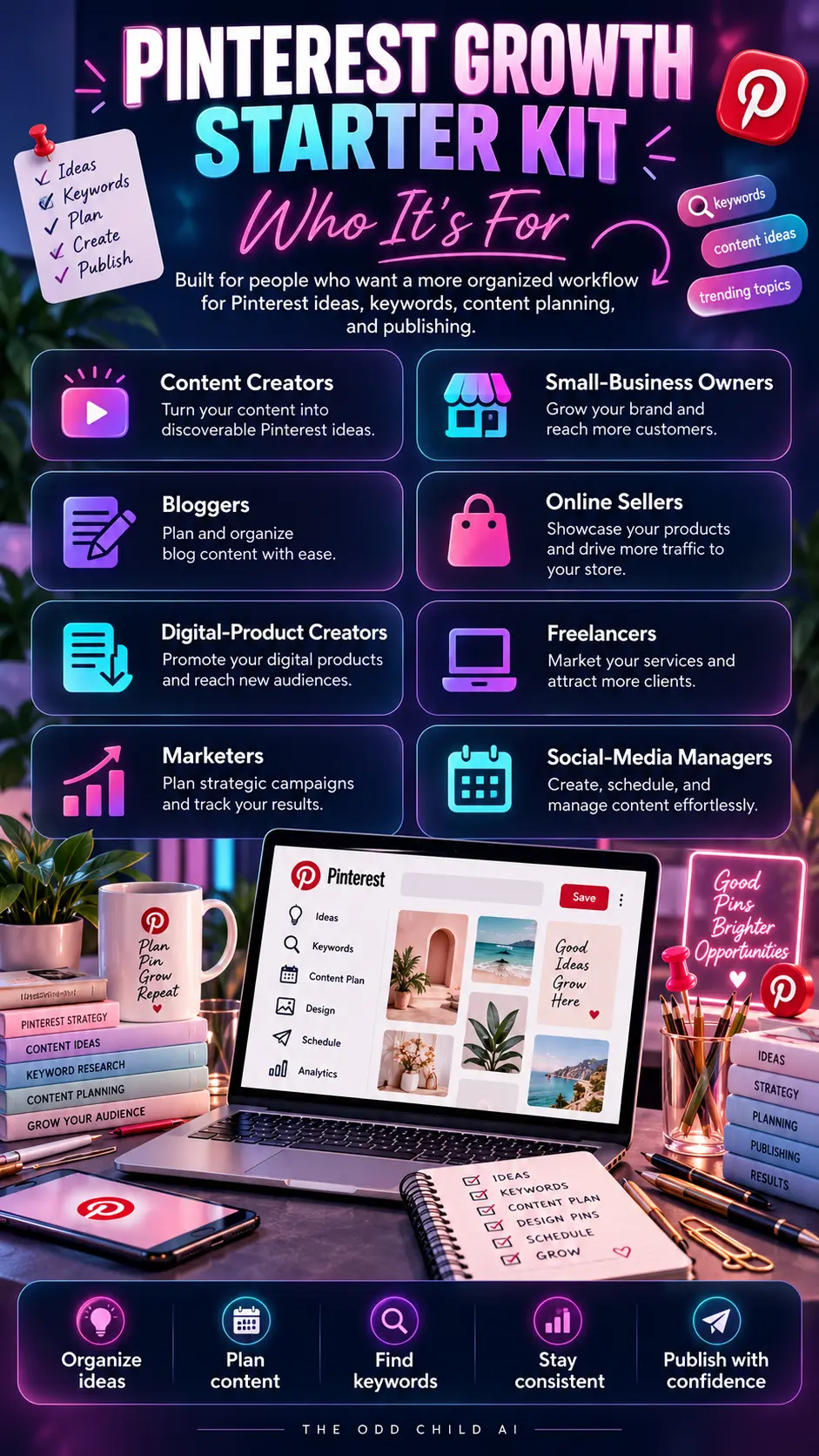
Want the whole system ready-made — keyword planning, pin copy templates, and a 30-day content planner? The Pinterest Growth Starter Kit has it organized and ready. New to AI prompts in general? Start with our 30 free AI prompts.
Keep reading: How to Build a Social Media Content Calendar That You Actually Use and AI Prompts for Instagram Reels: Ideas, Hooks, and Scripts.